Loadout Pack Planner
Build the kit list, pick the truck and see how it all fits in 3D before anyone lifts a case.
Ask about Loadout Pack Planner For Mac and iPad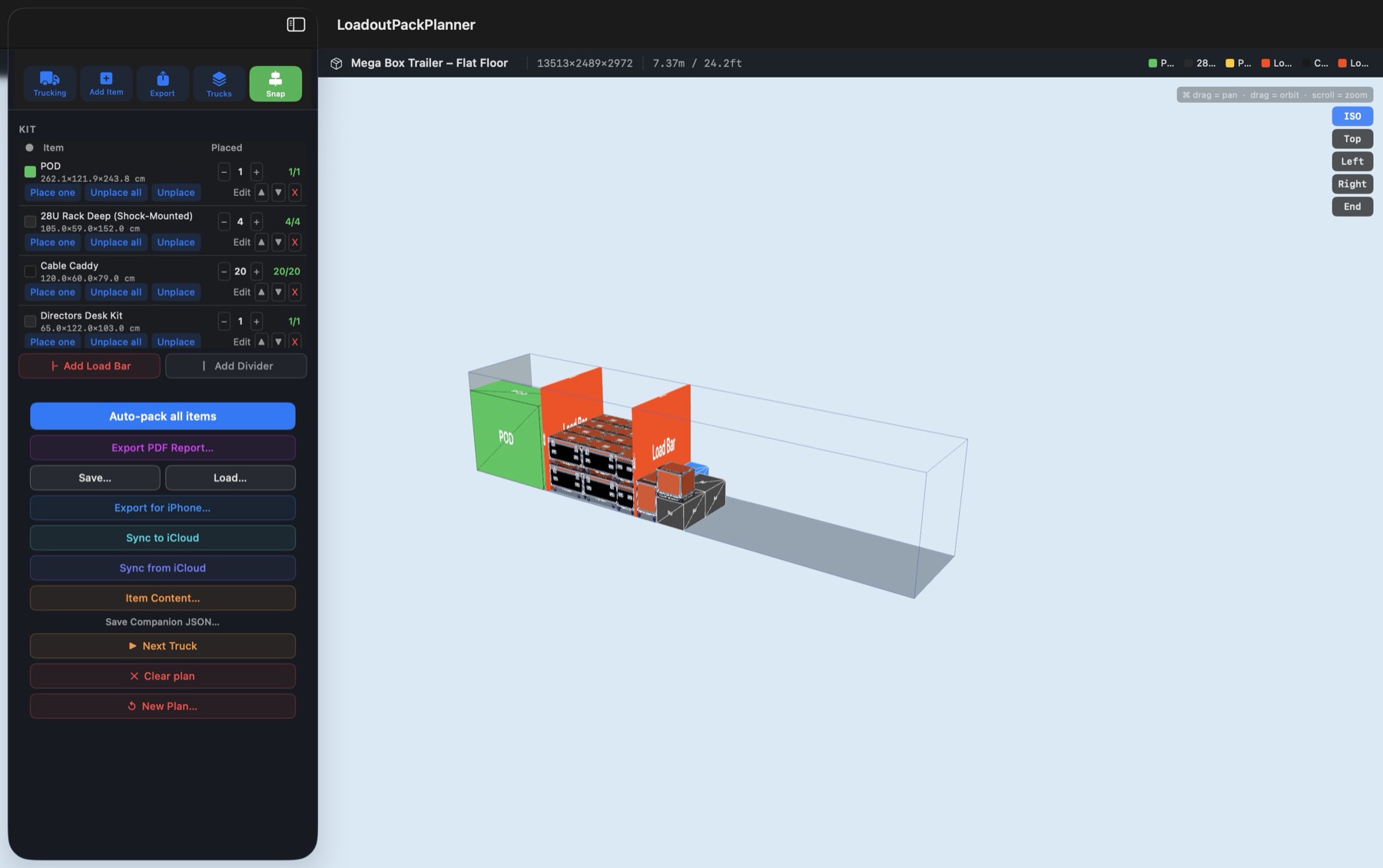
What it does
Auto-pack
One button places every item on your kit list. Move anything by hand, place one at a time, or unplace and try again.
Real trucks
Choose from preset vans, trucks and trailers grouped by haulier, including flat-floor, ramp and tail-lift versions.
Your own kit
Keep stock items with real dimensions, such as 28U racks and cable caddies. Bring in USDZ 3D models of your cases.
Load bars and dividers
Add them to the plan so the drawing matches how the truck is actually loaded.
Several trucks
When one truck is full, carry on with the next.
PDF load order
Export a report showing each step of the load with its position along the truck, for one truck or all of them.
Save and share
Save a plan as a file to send to someone, or sync it through iCloud.
iPhone companion
Loadout Companion, in development, walks the crew through the load row by row on an iPhone.